













Controls
Space↑ClickTap
Tap or click to change direction or gravity, depending on the game.
Try ball-themed geometric challenges.
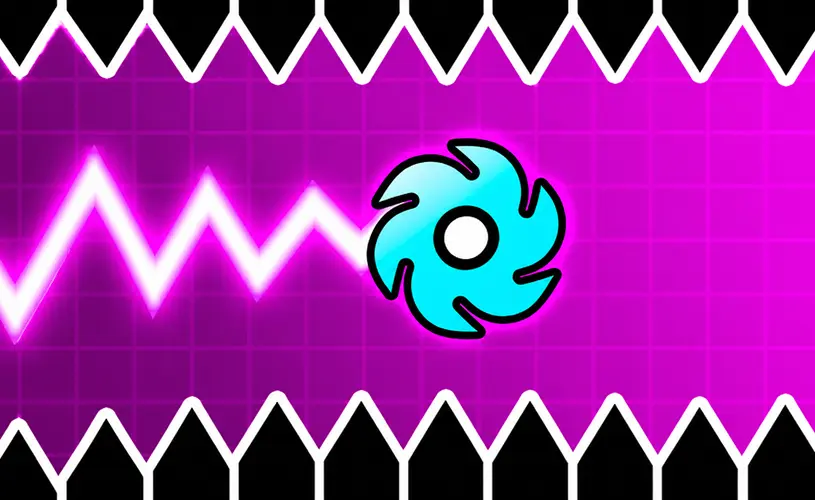
Try ball-themed geometric challenges.
Space↑ClickTap
Tap or click to change direction or gravity, depending on the game.
Geometry Vibes X-Ball adapts wave-style arcade control to a bouncing-ball visual theme. The goal is to guide the ball through neon obstacle routes while avoiding spikes, moving hazards and spinning obstacles. Simple hold-and-release controls hide a demanding test of accuracy.
As a follow-up to Geometry Vibes, X-Ball offers more than straightforward level completion. Classic challenges sit alongside modes for longer survival, tougher specialist routes and local races with friends.
Hold left mouse or Space to move upward and release to descend, where supported. Touch controls use the same hold-and-release idea. Local Race Mode can assign additional keys to other players, so check the multiplayer instructions before starting.
The game is associated with Classic Mode, Endless Mode, Challenge Mode and Race Mode. Classic is a natural starting point; Challenge Mode is meant for players comfortable with more precise routes.
Race Mode can accommodate several players on one keyboard, making it a social alternative to solo practice. Cosmetic options allow you to change the ball's appearance as you progress.
The game is described with Classic, Endless, Challenge and local Race modes.
Some versions support races with up to four players sharing one keyboard.
Try releasing as soon as the ball clears the obstacle. That gives it room to descend before the ceiling closes in.
 hot
 trending
 top
 hot
 hot
 top
 hot
 top
No games match your search.
All games →